






TP-Link

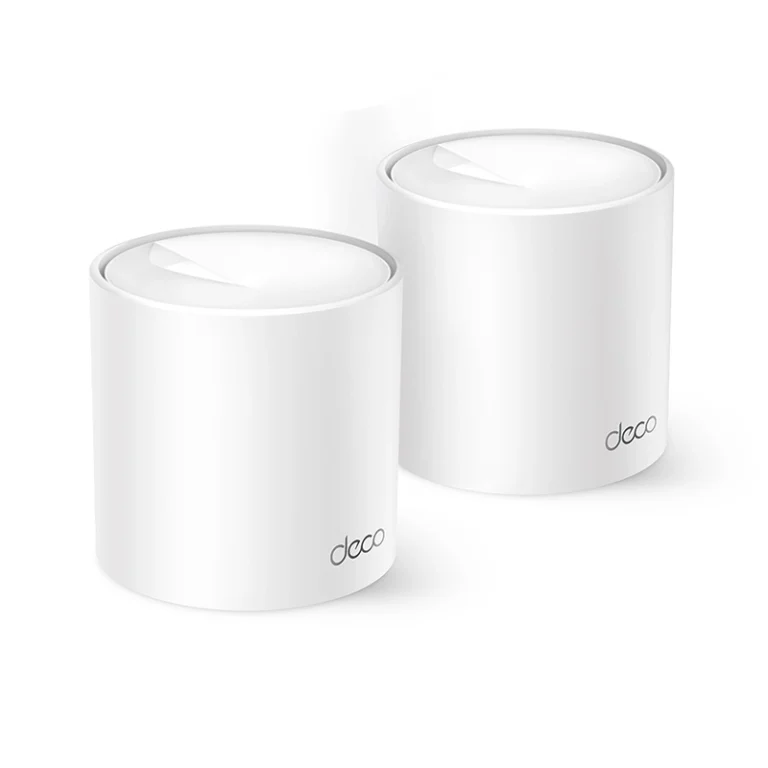
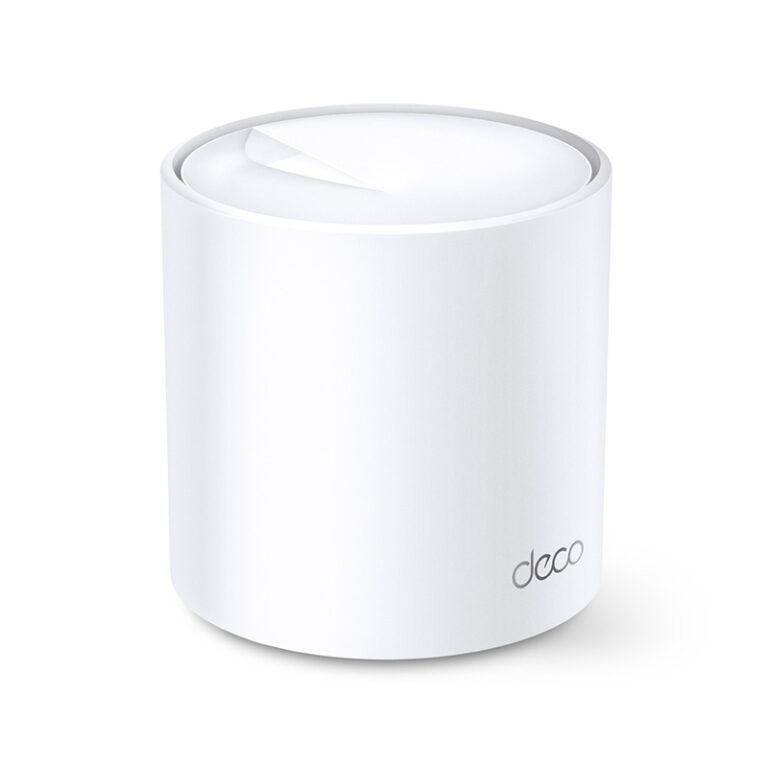
TP-Link Deco X20 AX1800 Whole Home Mesh Wi-Fi 6 System (1-Pack)

Out of stock

Weight 1 kg
Dimensions 25 × 15 × 10 cm
Wireless

Standards and Protocols
— Wi-Fi 6
– IEEE 802.11ax/ac/n/a 5 GHz
– IEEE 802.11ax/n/b/g 2.4 GHz
WiFi Speeds
— AX1800
– 5 GHz: 1201 Mbps (802.11ax)
– 2.4 GHz: 574 Mbps (802.11ax)
WiFi Range
— 1-3 Bedroom Houses (1-pack)
— 3-4 Bedroom Houses (2-pack)
— 4-6 Bedroom Houses (3-pack)
— TP-Link Mesh Technology
– Optional Ethernet backhaul work together to link Deco units to provide seamless coverage
— 2× Antennas (Internal)
– Multiple antennas form a signal-boosting array to cover more directions and large areas
— Beamforming
– Concentrates wireless signal strength towards clients to expand WiFi range
WiFi Capacity
— High
— Dual-Band
– Distribute devices to different bands for optimal performance
— MU-MIMO
– Simultaneously communicates with multiple MU-MIMO clients
— 4 Streams
– More than enough bandwidth for connected devices
Working Modes
– Router Mode
– Access Point Mode

Security

Network Security
– SPI Firewall
– Access Control
— HomeShield Security
– Real-Time IoT Protection
– Malicious Site Blocker
– Intrusion Prevention System
– DDoS Attack Prevention
– Home Network Scanner
Guest Network
– 1× 5 GHz Guest Network
– 1× 2.4 GHz Guest Network
WiFi Encryption
– WPA-Personal
– WPA2-Personal
– WPA3-Personal

Hardware

Ethernet Ports
– 2× Gigabit Ports *Per Deco Unit
– Supports WAN/LAN auto-sensing
Buttons
– Reset Button

Software

Protocols
– IPv4
– IPv6
Service Kits
– HomeShield
Parental Controls
— HomeShield Parental Controls
– Custom Profiles
– Professional Content Filter Library
– Family Time
– Bedtime
– Off Time
– Time Rewards
– Family Online Time Ranking
– Pause the Internet
– Weekly and Monthly Reports
WAN Types
– Dynamic IP
– Static IP
– PPPoE
– PPTP
– L2TP
Quality of Service
— HomeShield QoS
– QoS by Device
Cloud Service
– OTA Firmware Upgrade
– TP-Link ID
– DDNS
NAT Forwarding
– Port Forwarding
– UPnP
IPTV
– IGMP Proxy
– IGMP Snooping
– Bridge
– Tag VLAN
DHCP
– Address Reservation
– DHCP Client List
– Server
DDNS
– TP-Link
Management Features
– Deco App

Other

Network Services Enabled by Default
— Web Server
– Manage and configure device through web (HTTP/HTTPS)
• Port: 80/443   Protocol: TCP
— DNS
– DNS
• Port: 53   Protocol: TCP & UDP
— DHCP Server
– IP address assignment (DHCP)
• Port: 67   Protocol: UDP
— App management
– Manage and configure device through app
• Port: 22   Protocol: TCP
• Port: 20001   Protocol: TCP
• Port: 30001   Protocol: TCP
• Port: 20002   Protocol: UDP

Test Data

WiFi Transmission Power
– CE:
<20 dBm (2.4 GHz)
<23 dBm (5 GHz)
– FCC:
<30 dBm (2.4 GHz)
<30 dBm (5 GHz)

Physical

Dimensions (W×D×H)
– 4.33 × 4.33 × 4.49 in (110 × 110 × 114 mm)
Package Content
— Deco X20 (3-pack)
– 3 Deco X20 Units
– 1 RJ45 Ethernet Cable
– 3 Power Adapters
– 1 Quick Installation Guide
— Deco X20 (2-pack)
– 2 Deco X20 Units
– 1 RJ45 Ethernet Cable
– 2 Power Adapters
– 1 Quick Installation Guide
— Deco X20 (1-pack)
– 1 Deco X20 Unit
– 1 RJ45 Ethernet Cable
– 1 Power Adapter
– 1 Quick Installation Guide

Others

System Requirements
– Android 5.0 or later
– iOS 9.0 or later
*Note: The minimum system requirements will be updated alongside updates to the app, subject to official website information.
Certifications
– CE, FCC, IC, RoHS, JPA, JRF, VCCI
Environment
– Operating Temperature: 0℃~40℃ (32℉ ~104℉)
– Storage Temperature: -40℃~60℃ (-40℉ ~140℉)
– Operating Humidity: 10%~90% non-condensing
– Storage Humidity: 5%~90% non-condensing

Warranty

1 Year

TP-Link Deco X10 AX1500 Whole Home Mesh Wi-Fi 6 System (3-Pack)

Out of stock

Weight 1 kg
Dimensions 25 × 15 × 10 cm
Wireless

Standards and Protocols
— Wi-Fi 6
– IEEE 802.11ax/ac/n/a 5 GHz
– IEEE 802.11n/b/g 2.4 GHz
WiFi Speeds
— AX1500
– 5 GHz: 1201 Mbps (802.11ax)
– 2.4 GHz: 300 Mbps (802.11n)
WiFi Range
— 1-2 Bedroom Houses (1-pack)
— 2-4 Bedroom Houses (2-pack)
— 3-5 Bedroom Houses (3-pack)
— TP-Link Mesh Technology
– Optional Ethernet backhaul work together to link Deco units to provide seamless coverage
— 2× Antennas (Internal)
– Multiple antennas form a signal-boosting array to cover more directions and large areas
— Beamforming
– Concentrates wireless signal strength towards clients to expand WiFi range
WiFi Capacity
— High
— Dual-Band
– Distribute devices to different bands for optimal performance
— 2×2 MU-MIMO
– Simultaneously communicates with multiple MU-MIMO clients
— OFDMA
– Simultaneously communicates with multiple WiFi 6 clients
— 4 Streams
– More than enough bandwidth for connected devices
Working Modes
– Router Mode
– Access Point Mode

Security

Network Security
– SPI Firewall
– Access Control
Guest Network
– 1× 5 GHz Guest Network
– 1× 2.4 GHz Guest Network
WiFi Encryption
– WPA-Personal
– WPA2-Personal
– WPA3-Personal

Hardware

Ethernet Ports
– 2× Gigabit Ports *Per Deco Unit
– Supports WAN/LAN auto-sensing
Buttons
– Reset Button

Software

Protocols
– IPv4
– IPv6
Parental Controls
— Parental Controls
– Custom Profiles
– Professional Content Filter Library
– Family Time
– Bedtime
– Off Time
– Time Rewards
– Family Online Time Ranking
– Pause the Internet
– Weekly and Monthly Reports
WAN Types
– Dynamic IP
– Static IP
– PPPoE
– PPTP
– L2TP
Quality of Service
– QoS by Device
Cloud Service
– OTA Firmware Upgrade
– TP-Link ID
– DDNS
NAT Forwarding
– Port Forwarding
– UPnP
IPTV
– IGMP Proxy
– IGMP Snooping
– Bridge
– Tag VLAN
DHCP
– Address Reservation
– DHCP Client List
– Server
DDNS
– TP-Link
Management Features
– Deco App

Other

Network Services Enabled by Default
— Web Server
– Manage and configure device through web (HTTP/HTTPS)
• Port: 80/443   Protocol: TCP
— DNS
– DNS
• Port: 53   Protocol: TCP & UDP
— DHCP Server
– IP address assignment (DHCP)
• Port: 67   Protocol: UDP
— App management
– Manage and configure device through app
• Port: 22   Protocol: TCP
• Port: 20001   Protocol: TCP
• Port: 30001   Protocol: TCP
• Port: 20002   Protocol: UDP

Test Data

WiFi Transmission Power
– CE:
<20 dBm (2.4 GHz)
<30 dBm (5 GHz)
– FCC:
<30 dBm (2.4 GHz)
<30 dBm (5 GHz)

Physical

Dimensions (W×D×H)
– 4.33 × 4.33 × 4.49 in (110 × 110 × 114 mm)
Package Content
— Deco X10 (3-pack)
– 3 Deco X10 Units
– 1 RJ45 Ethernet Cable
– 3 Power Adapters
– Quick Installation Guide
— Deco X10 (2-pack)
– 2 Deco X10 Units
– 1 RJ45 Ethernet Cable
– 2 Power Adapters
– Quick Installation Guide
— Deco X10 (1-pack)
– 1 Deco X10 Unit
– 1 RJ45 Ethernet Cable
– 1 Power Adapter
– Quick Installation Guide

Others

System Requirements
– Android 5.0 or later
– iOS 9.0 or later
*Note: The minimum system requirements will be updated alongside updates to the app, subject to official website information.
Certifications
– CE, FCC, RoHS, JPA, JRF, VCCI, NCC, BSMI
Environment
– Operating Temperature: 0℃~40℃ (32℉ ~104℉)
– Storage Temperature: -40℃~60℃ (-40℉ ~140℉)
– Operating Humidity: 10%~90% non-condensing
– Storage Humidity: 5%~90% non-condensing

Warranty

1 Year

TP-Link Deco X10 AX1500 Whole Home Mesh Wi-Fi 6 System (2-Pack)

Out of stock

Weight 1 kg
Dimensions 25 × 15 × 10 cm
Wireless

Standards and Protocols
— Wi-Fi 6
– IEEE 802.11ax/ac/n/a 5 GHz
– IEEE 802.11n/b/g 2.4 GHz
WiFi Speeds
— AX1500
– 5 GHz: 1201 Mbps (802.11ax)
– 2.4 GHz: 300 Mbps (802.11n)
WiFi Range
— 1-2 Bedroom Houses (1-pack)
— 2-4 Bedroom Houses (2-pack)
— 3-5 Bedroom Houses (3-pack)
— TP-Link Mesh Technology
– Optional Ethernet backhaul work together to link Deco units to provide seamless coverage
— 2× Antennas (Internal)
– Multiple antennas form a signal-boosting array to cover more directions and large areas
— Beamforming
– Concentrates wireless signal strength towards clients to expand WiFi range
WiFi Capacity
— High
— Dual-Band
– Distribute devices to different bands for optimal performance
— 2×2 MU-MIMO
– Simultaneously communicates with multiple MU-MIMO clients
— OFDMA
– Simultaneously communicates with multiple WiFi 6 clients
— 4 Streams
– More than enough bandwidth for connected devices
Working Modes
– Router Mode
– Access Point Mode

Security

Network Security
– SPI Firewall
– Access Control
Guest Network
– 1× 5 GHz Guest Network
– 1× 2.4 GHz Guest Network
WiFi Encryption
– WPA-Personal
– WPA2-Personal
– WPA3-Personal

Hardware

Ethernet Ports
– 2× Gigabit Ports *Per Deco Unit
– Supports WAN/LAN auto-sensing
Buttons
– Reset Button

Software

Protocols
– IPv4
– IPv6
Parental Controls
— Parental Controls
– Custom Profiles
– Professional Content Filter Library
– Family Time
– Bedtime
– Off Time
– Time Rewards
– Family Online Time Ranking
– Pause the Internet
– Weekly and Monthly Reports
WAN Types
– Dynamic IP
– Static IP
– PPPoE
– PPTP
– L2TP
Quality of Service
– QoS by Device
Cloud Service
– OTA Firmware Upgrade
– TP-Link ID
– DDNS
NAT Forwarding
– Port Forwarding
– UPnP
IPTV
– IGMP Proxy
– IGMP Snooping
– Bridge
– Tag VLAN
DHCP
– Address Reservation
– DHCP Client List
– Server
DDNS
– TP-Link
Management Features
– Deco App

Other

Network Services Enabled by Default
— Web Server
– Manage and configure device through web (HTTP/HTTPS)
• Port: 80/443   Protocol: TCP
— DNS
– DNS
• Port: 53   Protocol: TCP & UDP
— DHCP Server
– IP address assignment (DHCP)
• Port: 67   Protocol: UDP
— App management
– Manage and configure device through app
• Port: 22   Protocol: TCP
• Port: 20001   Protocol: TCP
• Port: 30001   Protocol: TCP
• Port: 20002   Protocol: UDP

Test Data

WiFi Transmission Power
– CE:
<20 dBm (2.4 GHz)
<30 dBm (5 GHz)
– FCC:
<30 dBm (2.4 GHz)
<30 dBm (5 GHz)

Physical

Dimensions (W×D×H)
– 4.33 × 4.33 × 4.49 in (110 × 110 × 114 mm)
Package Content
— Deco X10 (3-pack)
– 3 Deco X10 Units
– 1 RJ45 Ethernet Cable
– 3 Power Adapters
– Quick Installation Guide
— Deco X10 (2-pack)
– 2 Deco X10 Units
– 1 RJ45 Ethernet Cable
– 2 Power Adapters
– Quick Installation Guide
— Deco X10 (1-pack)
– 1 Deco X10 Unit
– 1 RJ45 Ethernet Cable
– 1 Power Adapter
– Quick Installation Guide

Others

System Requirements
– Android 5.0 or later
– iOS 9.0 or later
*Note: The minimum system requirements will be updated alongside updates to the app, subject to official website information.
Certifications
– CE, FCC, RoHS, JPA, JRF, VCCI, NCC, BSMI
Environment
– Operating Temperature: 0℃~40℃ (32℉ ~104℉)
– Storage Temperature: -40℃~60℃ (-40℉ ~140℉)
– Operating Humidity: 10%~90% non-condensing
– Storage Humidity: 5%~90% non-condensing

Warranty

1 Year

TP-Link Deco X10 AX1500 Whole Home Mesh Wi-Fi 6 System (1-Pack)

Out of stock

Weight 1 kg
Dimensions 25 × 15 × 10 cm
Wireless

Standards and Protocols
— Wi-Fi 6
– IEEE 802.11ax/ac/n/a 5 GHz
– IEEE 802.11n/b/g 2.4 GHz
WiFi Speeds
— AX1500
– 5 GHz: 1201 Mbps (802.11ax)
– 2.4 GHz: 300 Mbps (802.11n)
WiFi Range
— 1-2 Bedroom Houses (1-pack)
— 2-4 Bedroom Houses (2-pack)
— 3-5 Bedroom Houses (3-pack)
— TP-Link Mesh Technology
– Optional Ethernet backhaul work together to link Deco units to provide seamless coverage
— 2× Antennas (Internal)
– Multiple antennas form a signal-boosting array to cover more directions and large areas
— Beamforming
– Concentrates wireless signal strength towards clients to expand WiFi range
WiFi Capacity
— High
— Dual-Band
– Distribute devices to different bands for optimal performance
— 2×2 MU-MIMO
– Simultaneously communicates with multiple MU-MIMO clients
— OFDMA
– Simultaneously communicates with multiple WiFi 6 clients
— 4 Streams
– More than enough bandwidth for connected devices
Working Modes
– Router Mode
– Access Point Mode

Security

Network Security
– SPI Firewall
– Access Control
Guest Network
– 1× 5 GHz Guest Network
– 1× 2.4 GHz Guest Network
WiFi Encryption
– WPA-Personal
– WPA2-Personal
– WPA3-Personal

Hardware

Ethernet Ports
– 2× Gigabit Ports *Per Deco Unit
– Supports WAN/LAN auto-sensing
Buttons
– Reset Button

Software

Protocols
– IPv4
– IPv6
Parental Controls
— Parental Controls
– Custom Profiles
– Professional Content Filter Library
– Family Time
– Bedtime
– Off Time
– Time Rewards
– Family Online Time Ranking
– Pause the Internet
– Weekly and Monthly Reports
WAN Types
– Dynamic IP
– Static IP
– PPPoE
– PPTP
– L2TP
Quality of Service
– QoS by Device
Cloud Service
– OTA Firmware Upgrade
– TP-Link ID
– DDNS
NAT Forwarding
– Port Forwarding
– UPnP
IPTV
– IGMP Proxy
– IGMP Snooping
– Bridge
– Tag VLAN
DHCP
– Address Reservation
– DHCP Client List
– Server
DDNS
– TP-Link
Management Features
– Deco App

Other

Network Services Enabled by Default
— Web Server
– Manage and configure device through web (HTTP/HTTPS)
• Port: 80/443   Protocol: TCP
— DNS
– DNS
• Port: 53   Protocol: TCP & UDP
— DHCP Server
– IP address assignment (DHCP)
• Port: 67   Protocol: UDP
— App management
– Manage and configure device through app
• Port: 22   Protocol: TCP
• Port: 20001   Protocol: TCP
• Port: 30001   Protocol: TCP
• Port: 20002   Protocol: UDP

Test Data

WiFi Transmission Power
– CE:
<20 dBm (2.4 GHz)
<30 dBm (5 GHz)
– FCC:
<30 dBm (2.4 GHz)
<30 dBm (5 GHz)

Physical

Dimensions (W×D×H)
– 4.33 × 4.33 × 4.49 in (110 × 110 × 114 mm)
Package Content
— Deco X10 (3-pack)
– 3 Deco X10 Units
– 1 RJ45 Ethernet Cable
– 3 Power Adapters
– Quick Installation Guide
— Deco X10 (2-pack)
– 2 Deco X10 Units
– 1 RJ45 Ethernet Cable
– 2 Power Adapters
– Quick Installation Guide
— Deco X10 (1-pack)
– 1 Deco X10 Unit
– 1 RJ45 Ethernet Cable
– 1 Power Adapter
– Quick Installation Guide

Others

System Requirements
– Android 5.0 or later
– iOS 9.0 or later
*Note: The minimum system requirements will be updated alongside updates to the app, subject to official website information.
Certifications
– CE, FCC, RoHS, JPA, JRF, VCCI, NCC, BSMI
Environment
– Operating Temperature: 0℃~40℃ (32℉ ~104℉)
– Storage Temperature: -40℃~60℃ (-40℉ ~140℉)
– Operating Humidity: 10%~90% non-condensing
– Storage Humidity: 5%~90% non-condensing

Warranty

1 Year

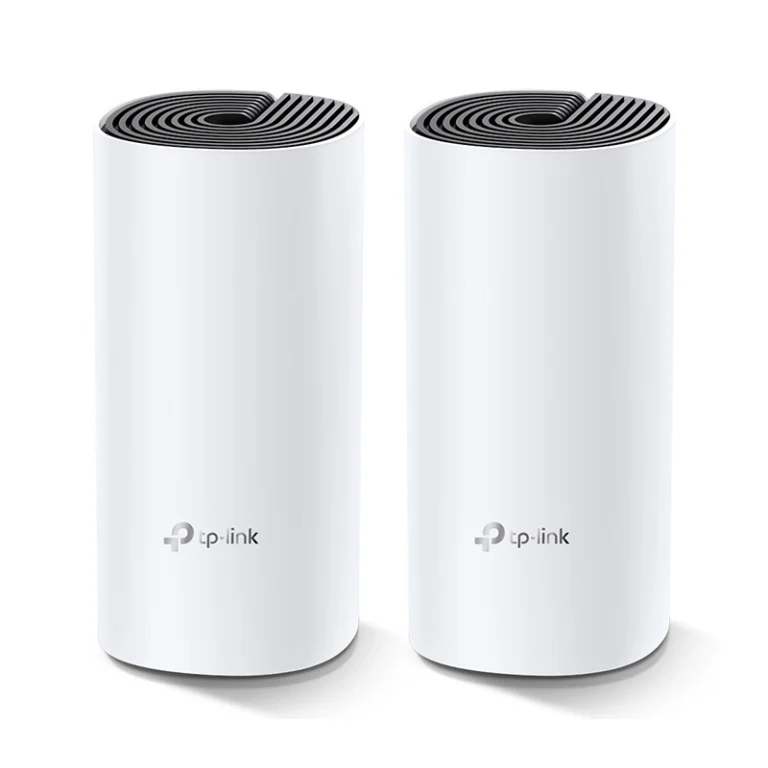
TP-Link Deco M4 AC1200 Whole Home Mesh Wi-Fi System (2-Pack)

Out of stock

Weight 1 kg
Dimensions 25 × 15 × 10 cm
Wireless

Standards and Protocols
— Wi-Fi 5
– IEEE 802.11ac/n/a 5 GHz
– IEEE 802.11n/b/g 2.4 GHz
WiFi Speeds
— AC1200
– 5 GHz: 867 Mbps (802.11ac)
– 2.4 GHz: 300 Mbps (802.11n)
WiFi Range
— 3-5 Bedroom Houses (3-pack)
— TP-Link Mesh Technology
– Optional Ethernet backhaul work together to link Deco units to provide seamless coverage
— 2× Antennas (Internal)
– Multiple antennas form a signal-boosting array to cover more directions and large areas
— Beamforming
– Concentrates wireless signal strength towards clients to expand WiFi range
WiFi Capacity
— Medium
— Dual-Band
– Distribute devices to different bands for optimal performance
— MU-MIMO
– Simultaneously communicates with multiple MU-MIMO clients
Working Modes
– Router Mode
– Access Point Mode

Security

Network Security
– SPI Firewall
– Access Control
Guest Network
– 1× 5 GHz Guest Network
– 1× 2.4 GHz Guest Network
WiFi Encryption
– WPA-Personal
– WPA2-Personal

Hardware

Ethernet Ports
– 2× Gigabit Ports *Per Deco Unit
– Supports WAN/LAN auto-sensing
Buttons
– Reset Button

Software

Protocols
– IPv4
– IPv6
Parental Controls
– URL Filtering
– Time Controls
WAN Types
– Dynamic IP
– Static IP
– PPPoE
– PPTP
– L2TP
Quality of Service
– QoS by Device
Cloud Service
– OTA Firmware Upgrade
– TP-Link ID
– DDNS
NAT Forwarding
– Port Forwarding
– UPnP
IPTV
– IGMP Proxy
– IGMP Snooping
– Bridge
– Tag VLAN
DHCP
– Address Reservation
– DHCP Client List
– Server
DDNS
– TP-Link
Management Features
– Deco App

Other

Network Services Enabled by Default
— Web Server
– Manage and configure device through web (HTTP/HTTPS)
• Port: 80/443   Protocol: TCP
— DNS
– DNS
• Port: 53   Protocol: TCP & UDP
— DHCP Server
– IP address assignment (DHCP)
• Port: 67   Protocol: UDP
— App management
– Manage and configure device through app
• Port: 22   Protocol: TCP
• Port: 20001   Protocol: TCP
• Port: 30001   Protocol: TCP
• Port: 20002   Protocol: UDP

Test Data

WiFi Transmission Power
– CE:
<20 dBm (2.4 GHz)
<23 dBm (5 GHz)
– FCC:
<30 dBm

Physical

Dimensions (W×D×H)
– 3.6 × 3.6 × 7.5 in (90.7 × 90.7 × 190 mm)
Package Content
— Deco M4 (3-pack)
– 3 Deco M4R Units
– 1 RJ45 Ethernet Cable
– 3 Power Adapters
– 1 Quick Installation Guide
— Deco M4 (2-pack)
– 2 Deco M4R Units
– 1 RJ45 Ethernet Cable
– 2 Power Adapters
– 1 Quick Installation Guide
— Deco M4 (1-pack)
– 1 Deco M4R Unit
– 1 RJ45 Ethernet Cable
– 1 Power Adapter
– 1 Quick Installation Guide

Others

System Requirements
– Android 5.0 or later
– iOS 9.0 or later
*Note: The minimum system requirements will be updated alongside updates to the app, subject to official website information.
Certifications
– CE, FCC, IC, NCC, BSMI, IDA, RCM, JPA, JRF, VCCI, KC, RoHS
Environment
– Operating Temperature: 0℃~40℃ (32℉ ~104℉)
– Storage Temperature: -40℃~70℃ (-40℉ ~158℉)
– Operating Humidity: 10%~90% non-condensing
– Storage Humidity: 5%~90% non-condensing

Warranty

1 Year

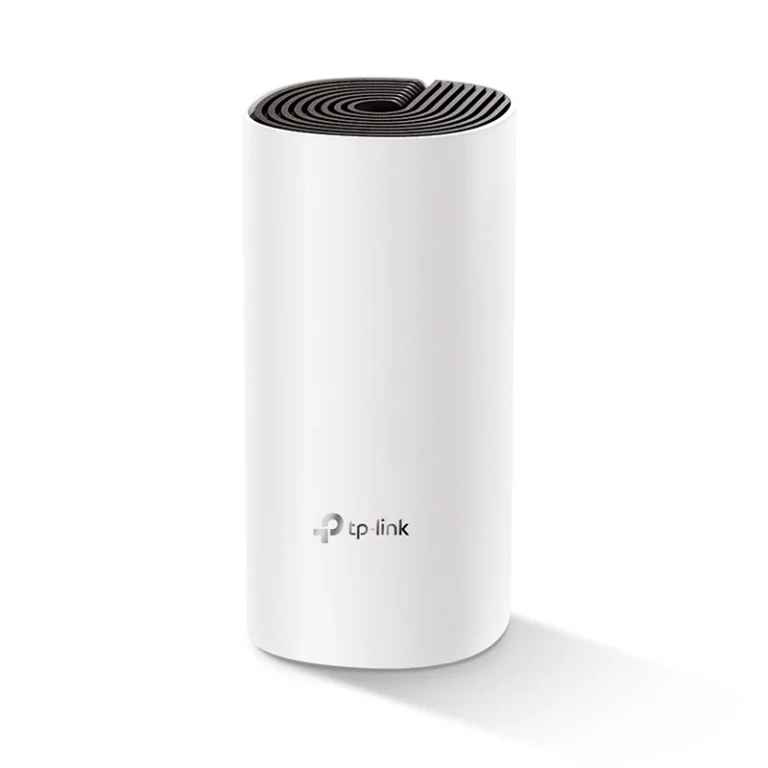
TP-Link Deco M4 AC1200 Whole Home Mesh Wi-Fi System (1-Pack)

Out of stock

Weight 1 kg
Dimensions 25 × 15 × 10 cm
Wireless

Standards and Protocols
— Wi-Fi 5
– IEEE 802.11ac/n/a 5 GHz
– IEEE 802.11n/b/g 2.4 GHz
WiFi Speeds
— AC1200
– 5 GHz: 867 Mbps (802.11ac)
– 2.4 GHz: 300 Mbps (802.11n)
WiFi Range
— 3-5 Bedroom Houses (3-pack)
— TP-Link Mesh Technology
– Optional Ethernet backhaul work together to link Deco units to provide seamless coverage
— 2× Antennas (Internal)
– Multiple antennas form a signal-boosting array to cover more directions and large areas
— Beamforming
– Concentrates wireless signal strength towards clients to expand WiFi range
WiFi Capacity
— Medium
— Dual-Band
– Distribute devices to different bands for optimal performance
— MU-MIMO
– Simultaneously communicates with multiple MU-MIMO clients
Working Modes
– Router Mode
– Access Point Mode

Security

Network Security
– SPI Firewall
– Access Control
Guest Network
– 1× 5 GHz Guest Network
– 1× 2.4 GHz Guest Network
WiFi Encryption
– WPA-Personal
– WPA2-Personal

Hardware

Ethernet Ports
– 2× Gigabit Ports *Per Deco Unit
– Supports WAN/LAN auto-sensing
Buttons
– Reset Button

Software

Protocols
– IPv4
– IPv6
Parental Controls
– URL Filtering
– Time Controls
WAN Types
– Dynamic IP
– Static IP
– PPPoE
– PPTP
– L2TP
Quality of Service
– QoS by Device
Cloud Service
– OTA Firmware Upgrade
– TP-Link ID
– DDNS
NAT Forwarding
– Port Forwarding
– UPnP
IPTV
– IGMP Proxy
– IGMP Snooping
– Bridge
– Tag VLAN
DHCP
– Address Reservation
– DHCP Client List
– Server
DDNS
– TP-Link
Management Features
– Deco App

Other

Network Services Enabled by Default
— Web Server
– Manage and configure device through web (HTTP/HTTPS)
• Port: 80/443   Protocol: TCP
— DNS
– DNS
• Port: 53   Protocol: TCP & UDP
— DHCP Server
– IP address assignment (DHCP)
• Port: 67   Protocol: UDP
— App management
– Manage and configure device through app
• Port: 22   Protocol: TCP
• Port: 20001   Protocol: TCP
• Port: 30001   Protocol: TCP
• Port: 20002   Protocol: UDP

Test Data

WiFi Transmission Power
– CE:
<20 dBm (2.4 GHz)
<23 dBm (5 GHz)
– FCC:
<30 dBm

Physical

Dimensions (W×D×H)
– 3.6 × 3.6 × 7.5 in (90.7 × 90.7 × 190 mm)
Package Content
— Deco M4 (3-pack)
– 3 Deco M4R Units
– 1 RJ45 Ethernet Cable
– 3 Power Adapters
– 1 Quick Installation Guide
— Deco M4 (2-pack)
– 2 Deco M4R Units
– 1 RJ45 Ethernet Cable
– 2 Power Adapters
– 1 Quick Installation Guide
— Deco M4 (1-pack)
– 1 Deco M4R Unit
– 1 RJ45 Ethernet Cable
– 1 Power Adapter
– 1 Quick Installation Guide

Others

System Requirements
– Android 5.0 or later
– iOS 9.0 or later
*Note: The minimum system requirements will be updated alongside updates to the app, subject to official website information.
Certifications
– CE, FCC, IC, NCC, BSMI, IDA, RCM, JPA, JRF, VCCI, KC, RoHS
Environment
– Operating Temperature: 0℃~40℃ (32℉ ~104℉)
– Storage Temperature: -40℃~70℃ (-40℉ ~158℉)
– Operating Humidity: 10%~90% non-condensing
– Storage Humidity: 5%~90% non-condensing

Warranty

1 Year

TP-Link Archer C7 AC1750 Wireless Dual Band Gigabit Router

Out of stock

Weight 1 kg
Dimensions 25 × 15 × 10 cm
Wireless

Standards and Protocols
— Wi-Fi 5
– IEEE 802.11ac/n/a 5 GHz
– IEEE 802.11n/b/g 2.4 GHz
WiFi Speeds
— AC1750
– 5 GHz: 1300 Mbps (802.11ac)
– 2.4 GHz: 450 Mbps (802.11n)
WiFi Range
— 3 Bedroom Houses
– 3× Fixed High-Performance Antennas
– Multiple antennas form a signal-boosting array to cover more directions and large areas
WiFi Capacity
— Medium
– Dual-Band
– Allocate devices to different bands for optimal performance
Working Modes
– Router Mode
– Access Point Mode

Security

Network Security
– SPI Firewall
– Access Control
– IP & MAC Binding
– Application Layer Gateway
Guest Network
– 1× 5 GHz Guest Network
– 1× 2.4 GHz Guest Network
VPN Server
– OpenVPN
– PPTP
WiFi Encryption
– WPA
– WPA2
– WPA/WPA2-Enterprise (802.1x)

Hardware

Processor
– Qualcomm CPU
Ethernet Ports
– 1× Gigabit WAN Port
– 4× Gigabit LAN Ports
USB Support
– 1× USB 2.0 Port
Supported Partition Formats
– NTFS, FAT32
Supported Functions
– FTP Server
– Media Server
– Samba Server
– Buttons
– Wi-Fi On/Off Button
– Power On/Off Button
– WPS/Reset Button
Power
– 12 V ⎓ 1.5 A

Software

Protocols
– IPv4
– IPv6
OneMesh™
— OneMesh™ Supported
– Without replacing your existing devices or buying a whole new WiFi ecosystem, OneMesh™ helps you create a more flexible network that covers your entire home with TP-Link OneMesh™ products.
Parental Controls
– URL Filtering
– Time Controls
WAN Types
– Dynamic IP
– Static IP
– PPPoE
– PPTP
– L2TP
Quality of Service
– QoS by Device
Cloud Service
– OTA Firmware Upgrade
– TP-Link ID
– DDNS
NAT Forwarding
– Port Forwarding
– Port Triggering
– DMZ
– UPnP
IPTV
– IGMP Proxy
– IGMP Snooping
– Bridge
– Tag VLAN
DHCP
– Address Reservation
– DHCP Client List
– Server
DDNS
– TP-Link
– NO-IP
– DynDNS
Management Features
– Tether App
– Webpage

Other

System Requirements
– Internet Explorer 11+, Firefox 12.0+, Chrome 20.0+, Safari 4.0+, or other JavaScript-enabled browser
– Cable or DSL Modem (if needed)
– Subscription with an internet service provider (for internet access)
Certifications
– FCC, CE, RoHS
Environment
– Operating Temperature: 0℃~40℃ (32℉ ~104℉)
– Storage Temperature: -40℃~70℃ (-40℉ ~158℉)
– Operating Humidity: 10%~90% non-condensing
– Storage Humidity: 5%~90% non-condensing

Test Data

WiFi Transmission Power
– CE:
<20dBm(2.4GHz)
<23dBm(5GHz)
– FCC:
<30dBm
WiFi Reception Sensitivity
– 5GHz:
11a 6Mbps-96dBm
11a 54Mbps: -79dBm
11ac HT20: -71dBm
11ac HT40: -66dBm
11ac HT80: -63dBm
– 2.4GHz:
11g 54M: -77dBm
11n HT20: -74dBm
11n HT40: -72dBm

Physical

Dimensions (W×D×H)
– 9.6 × 6.4 × 1.3 in (243 × 160.6 × 32.5 mm)
Package Content
– Wi-Fi Router Archer C7
– Power Adapter
– RJ45 Ethernet Cable
– Quick Installation Guide

Warranty

3 Years

TP-Link Archer C80 Dual-Band AC1900 Wireless MU-MIMO Wi-Fi Router

Out of stock

Weight 1 kg
Dimensions 25 × 15 × 10 cm
Wireless

Standards and Protocols
— Wi-Fi 5
– IEEE 802.11ac/n/a 5 GHz
– IEEE 802.11n/b/g 2.4 GHz
WiFi Speeds
— AC1900
– 5 GHz: 1300 Mbps (802.11ac)
– 2.4 GHz: 600 Mbps (802.11n)
WiFi Range
— 3 Bedroom Houses
— 4× Fixed High-Performance Antennas
– Multiple antennas form a signal-boosting array to cover more directions and large areas
— Beamforming
– Concentrates wireless signal strength towards clients to expand WiFi range
WiFi Capacity
— Medium
— Dual-Band
– Allocate devices to different bands for optimal performance
— 3×3 MU-MIMO
– Simultaneously communicates with multiple MU-MIMO clients
— Airtime Fairness
– Improves network efficiency by limiting excessive occupation
Working Modes
– Router Mode
– Access Point Mode

Security

Network Security
– SPI Firewall
– Access Control
– IP & MAC Binding
– Application Layer Gateway
Guest Network
– 1× 5 GHz Guest Network
– 1× 2.4 GHz Guest Network
WiFi Encryption
– WPA
– WPA2
– WPA3
– WPA/WPA2-Enterprise (802.1x)

Hardware

Processor
– 1.2 GHz CPU
Ethernet Ports
– 1× Gigabit WAN Port
– 4× Gigabit LAN Ports
Buttons
– WPS/Wi-Fi Button
– Power On/Off Button
– Reset Button
Power
— US Version
– 12 V ⎓ 1.5 A
— EU Version
– 12 V ⎓ 1 A

Software

Protocols
– IPv4
– IPv6
OneMesh™
— OneMesh™ Supported
– Without replacing your existing devices or buying a whole new WiFi ecosystem, OneMesh™ helps you create a more flexible network that covers your entire home with TP-Link OneMesh™ products.
Parental Controls
– URL Filtering
– Time Controls
WAN Types
– Dynamic IP
– Static IP
– PPPoE
– PPTP
– L2TP
Quality of Service
– QoS by Device
Cloud Service
– OTA Firmware Upgrade
– TP-Link ID
– DDNS
NAT Forwarding
– Port Forwarding
– Port Triggering
– DMZ
– UPnP
IPTV
– IGMP Proxy
– IGMP Snooping
– Bridge
– Tag VLAN
DHCP
– Address Reservation
– DHCP Client List
– Server
DDNS
– TP-Link
– NO-IP
– DynDNS
Management Features
– Tether App
– Webpage

Other

Network Services Enabled by Default
— Web Server
– Manage and configure device through web (HTTP/HTTPS)
• Port: 80/443   Protocol: TCP
— DNS
– DNS
• Port: 53   Protocol: TCP & UDP
— DHCP Server
– IP address assignment (DHCP)
• Port: 67   Protocol: UDP
— App management
– Manage and configure device through app
• Port: 20002   Protocol: UDP
— Alexa service
– Detect Alexa-enabled devices in the LAN
• Port: 5353   Protocol: UDP
System Requirements
– Internet Explorer 11+, Firefox 12.0+, Chrome 20.0+, Safari 4.0+, or other JavaScript-enabled browser
– Cable or DSL Modem (if needed)
– Subscription with an internet service provider (for internet access)
Certifications
– FCC, CE, RoHS
Environment
– Operating Temperature: 0℃~40℃ (32℉ ~104℉)
– Storage Temperature: -40℃~70℃ (-40℉ ~158℉)
– Operating Humidity: 10%~90% non-condensing
– Storage Humidity: 5%~90% non-condensing

Test Data

WiFi Transmission Power
– CE:
<20dBm(2.4GHz)
<23dBm(5.15GHz~5.25GHz)
– FCC:
<30dBm(2.4GHz & 5GHz)
WiFi Reception Sensitivity
– 5GHz:
11a 6Mbps:-98dBm, 11a 54Mbps:-78dBm
11ac VHT20_MCS0:-98dBm, 11ac VHT20_MCS8:-72dBm
11ac VHT40_MCS0:-92dBm, 11ac VHT40_MCS9:-68dBm
11ac VHT80_MCS0:-89dBm, 11ac VHT80_MCS9:-64dBm
– 2.4GHz:
11g 6Mbps:-97dBm, 11a 54Mbps:-77dBm
11n VHT20_MCS0:-97dBm, 11n VHT20_MCS8:-72dBm
11n VHT40_MCS0:-92dBm, 11n VHT40_MCS9:-67dBm

Physical

Dimensions (W×D×H)
– 8.5 × 4.6 × 1.26 in (215 × 117 × 32 mm)
Package Content
– Wi-Fi Router Archer C80
– Power Adapter
– RJ45 Ethernet Cable
– Quick Installation Guide

Warranty

3 Years

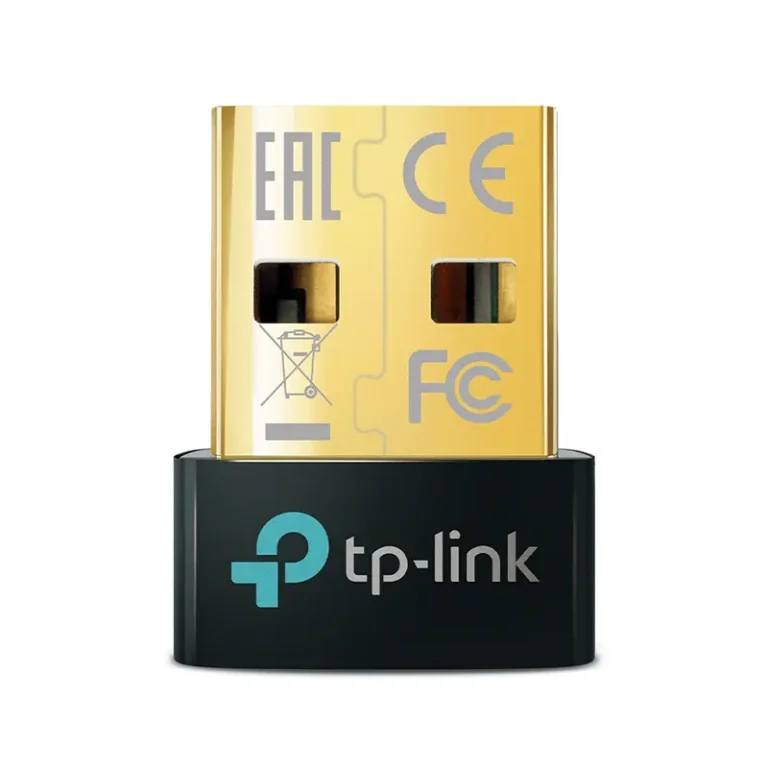
TP-Link UB5A Bluetooth 5.3 Nano USB Adapter

Out of stock

Weight 0.20 kg
Dimensions 5.8 × 1.8 × 17.3 cm
Hardware Features

Standards and Protocols
– Bluetooth 5.3
Interface
– USB 2.0
Dimensions ( W x D x H )
– 0.58 × 0.27 × 0.74 in (14.8 × 6.8 × 18.9 mm)

Others

Package Content
– Bluetooth 5.3 Nano USB Adapter UB5A
– Quick Installation Guide
System Requirements
– Supported operating systems include Win 11/10/8.1/7
Environment
– Operating Temperature: 0℃~40℃ (32℉ ~104℉)
– Operating Humidity: 10%~90% non-condensing
– Storage Humidity: 5%~90% non-condensing

Warranty

1 Year

TP-Link RE450 AC1750 Wi-Fi Range Extender

Out of stock

Weight 0.1 kg
Dimensions 4.09 × 1.91 × 0.86 cm
Wireless

Working Modes
– Range Extender/Access Point

Hardware Features

Standards and Protocols
– IEEE802.11ac, IEEE 802.11n, IEEE 802.11g, IEEE 802.11b
Plug Type
– EU, UK, US, AU, KR, JP
Interface
– 1 Gigabit Ethernet Port
Button
– WPS Button, Reset Button, LED Button, Power Button
Input Power
– 100-240V~50/60Hz
Max. Power Consumption
– 10W(max power consumption)
Dimensions ( W x D x H )
– 6.4 x 3.0 x 2.6 in. (163 x 76.4 x 66.5mm)
Antenna
– 3 x external

Wireless Features

Wireless Standards
– IEEE 802.11a/n/ac 5 GHz, IEEE 802.11b/g/n 2.4 GHz
Frequency
– 2.4GHz & 5GHz(11ac)
Signal Rate
– 5GHz : Up to 1300Mbps
– 2.4GHz : Up to 450Mpbs
Working Modes
– Range Extender/Access Point
Reception Sensitivity
– 5GHz:
11a 6Mbps:-93dBm@10% PER
11a 54Mbps: -76dBm@10% PER
11ac HT20 mcs8: -68dBm@10% PER
11ac HT40 mcs9: -64dBm@10% PER
11ac HT80 mcs9: -61dBm@10% PER
– 2.4GHz
11g 54M: -77dBm@10% PER
11n HT20 mcs7: -73dBm@10% PER
11n HT40 mcs7: -70dBm@10% PER
Wireless Modes
– Range Extender/Access Point
Wireless Functions
– Wireless Statistic
– Concurrent Mode Boost Both 2.4G/5G WiFi Band
– Access Control
– LED Control
– Domain Login Function
– Wi-Fi Coverage
Wireless Security
– 64/128-bit WEP
– WPA-PSK / WPA2-PSK
Transmission Power
– <20dBm(2.4GHz)
– <23dBm(5GHz)
Mesh Technology
– EasyMesh-Compatible

Other

Network Services Enabled by Default
— Web Server
– Manage and configure device through web (HTTP/HTTPS)
• Port: 80/443   Protocol: TCP
— DHCP Server
– IP address assignment (DHCP)
• Port: 67   Protocol: UDP
— App management
– Manage and configure device through app
• Port: 20001   Protocol: TCP
• Port: 20002   Protocol: UDP

Others

Certification
– CE, FCC, RoHS
Package Content
– AC1750 Wi-Fi Range Extender RE450
– Quick Installation Guide
Box Dimensions (W X D X H)
– 7.9 x 4.9 x 3.4in. (202x 125 x 86mm)
System Requirements
– Microsoft® Windows® 98SE, NT, 2000, XP, Vista or Windows 7, 8, 10, Mac® OS, NetWare®, UNIX® or Linux.
Environment
– Operating Temperature: 0°C~30°C (32°F~86°F)
– Storage Temperature: -40°C~70°C (-40°F~158°F)
– Operating Humidity: 10%~90% non-condensing
– Storage Humidity: 5%~90% non-condensing

Warranty

3 Years

TP-Link RE315 AC1200 Mesh Wi-Fi Range Extender

Out of stock

Weight 0.1 kg
Dimensions 4.09 × 1.91 × 0.86 cm
Wireless

Working Modes
– Range Extender/Access Point

Hardware Features

Interface
– 1 x 10/100Mbps Ethernet Port (RJ45)
Button
– WPS Button, Reset Button
Input Power
– 100-240V~50/60Hz
Max. Power Consumption
– 9.5W(max power consumption)
Dimensions ( W x D x H )
– 3.5×1.4×4.9 in. (89×35.0×124.1 mm)
Antenna
– 2 External Antennas

Wireless Features

Wireless Standards
– IEEE 802.11a/n/ac 5 GHz, IEEE 802.11b/g/n 2.4 GHz
Frequency
– 2.4GHz and 5GHz
Signal Rate
– 300Mbps at 2.4GHz, 867Mbps at 5GHz
Working Modes
– Range Extender/Access Point
Reception Sensitivity
– 5 GHz:
11a 6Mbps: -94dBm
11a 54Mbps: -77dBm
11ac HT20 MCS0: -94dBm
11ac HT20 MCS8: -71dBm
11ac HT40 MCS0: -92dBm
11ac HT40 MCS9: -66dBm
11ac HT80 MCS0: -87dBm
11ac HT80 MCS9: -62dBm
– 2.4 GHz:
11g 54Mbps: -78dBm
11n HT20 MCS7: -76dBm
11n HT40 MCS7: -74dBm
Wireless Functions
– Enable/Disable Wireless Radio
– DFS (the latest firmware and hardware version is required)
– Access Control
– LED Control
– Power Schedule
– Wi-Fi Coverage
Wireless Security
– 64/128-bit WEP, WPA/WPA2-PSK/WPA2-PSK2 encryptions
Transmission Power
– 2.4 GHz ≤20dBm, 5 GHz ≤30dBm

Other

Network Services Enabled by Default
— Web Server
– Manage and configure device through web (HTTP/HTTPS)
• Port: 80/443   Protocol: TCP
— DHCP Server
– IP address assignment (DHCP)
• Port: 67   Protocol: UDP
— App management
– Manage and configure device through app
• Port: 20001   Protocol: TCP
• Port: 20002   Protocol: UDP

Others

Certification
– CE, RoHS
Package Content
– Wi-Fi Range Extender RE315
– Quick Installation Guide
System Requirements
– Microsoft Windows 98SE, NT, 2000, XP, Vista™ or Windows 7, 8, 8.1, 10, MAC OS, NetWare, UNIX or Linux Internet Explorer 11, Firefox 12.0, Chrome 20.0, Safari 4.0, or other Java-enabled browser
Environment
– Operating Temperature: 0℃~40℃ (32℉ ~104℉)
– Storage Temperature: -40℃~70℃ (-40℉ ~158℉)
– Operating Humidity: 10%~90% non-condensing
– Storage Humidity: 5%~90% non-condensing

Warranty

3 Years

TP-Link RE300 AC1200 Mesh Wi-Fi Range Extender

Out of stock

Weight 0.1 kg
Dimensions 4.09 × 1.91 × 0.86 cm
Wireless

Working Modes
– Range Extender/Access Point

Hardware Features

Standards and Protocols
– IEEE802.11ac, IEEE 802.11n, IEEE 802.11g, IEEE 802.11a, IEEE 802.11b
Plug Type
– EU, UK, US, AU
Ports
– 1 x 10/100Mbps Ethernet Port (RJ45)
Button
– WPS Button, Reset Button
Input Power
– 100-240V~50/60Hz
Power Consumption
– 7.3W(max power consumption)
Dimensions ( W x D x H )
– 4.9 x 2.7 x 2.0 in (124 x 69 x 52 mm)
Antenna
– 2 Internal Antennas

Wireless Features

Wireless Standards
– IEEE 802.11a/n/ac 5GHz, IEEE 802.11b/g/n 2.4GHz
Frequency
– 2.4GHz & 5GHz(11ac)
Signal Rate
– 5 GHz : Up to 867 Mbps
– 2.4 GHz : Up to 300 Mpbs
Working Modes
– Range Extender
Reception Sensitivity
– 5GHz
11a 6Mbps:-91dBm@10% PER
11a 54Mbps: -74dBm@10% PER
11ac HT20 mcs8: -68dBm@10% PER
11ac HT40 mcs9: -63dBm@10% PER
11ac HT80 mcs9: -59dBm@10% PER
– 2.4GHz
11g 54M: -79dBm@10% PER
11n HT20 mcs7: -77dBm@10% PER
11n HT40 mcs7: -74dBm@10% PER
Wireless Functions
– Wireless Statistic
– Concurrent Mode boost both 2.4G/5G Wi-Fi band
– Access Control
– LED Control
– Domain Login Function
Wireless Security
– 64/128-bit WEP
– WPA-PSK / WPA2-PSK
Transmission Power
– <17dBm(2.4GHz)
– <17dBm(5GHz)
Mesh Technology
– OneMesh

Others

Certification
– CE, FCC, RoHS
Package Contents
● AC1200 OneMesh Wi-Fi Range Extender RE300
● Quick Installation Guide
Box Dimensions (W X D X H)
– 6.2 x 4.0 x 3.5 in. (156.5 x 101.5 x 89 mm)
System Requirements
– Microsoft® Windows® 98SE, NT, 2000, XP, Vista or Windows 7, 8, 10, Mac® OS, NetWare®, UNIX® or Linux.
Environment
– Operating Temperature: 0°C~40°C (32°F~104°F)
– Storage Temperature: -40°C~70°C (-40°F~158°F)
– Operating Humidity: 10%~90% non-condensing
– Storage Humidity: 5%~90% non-condensing

Warranty

3 Years